W tym wpisie pokażę krok po kroku, jak instaluję GitLab Runnera w praktycznym, produkcyjnym scenariuszu. Skupię się na sprawdzonym podejściu, które stosuję na co dzień — bez zbędnej teorii, za to z naciskiem na poprawną konfigurację, bezpieczeństwo i typowe pułapki, na które łatwo trafić przy pierwszym uruchomieniu runnera.
Jeśli korzystasz z GitLaba do automatyzacji procesów CI/CD i chcesz mieć pełną kontrolę nad tym, gdzie i jak wykonywane są joby, ten materiał jest właśnie dla Ciebie.
GitLab Runner to lekki agent wykonawczy, który odpowiada za uruchamianie zadań CI/CD (jobów) zdefiniowanych w pliku .gitlab-ci.yml.
Mówiąc precyzyjnie:
GitLab Runner pobiera zadania z GitLaba, wykonuje je w określonym środowisku (np. Docker, maszyna wirtualna, system hosta), a następnie raportuje wynik wykonania z powrotem do GitLaba.
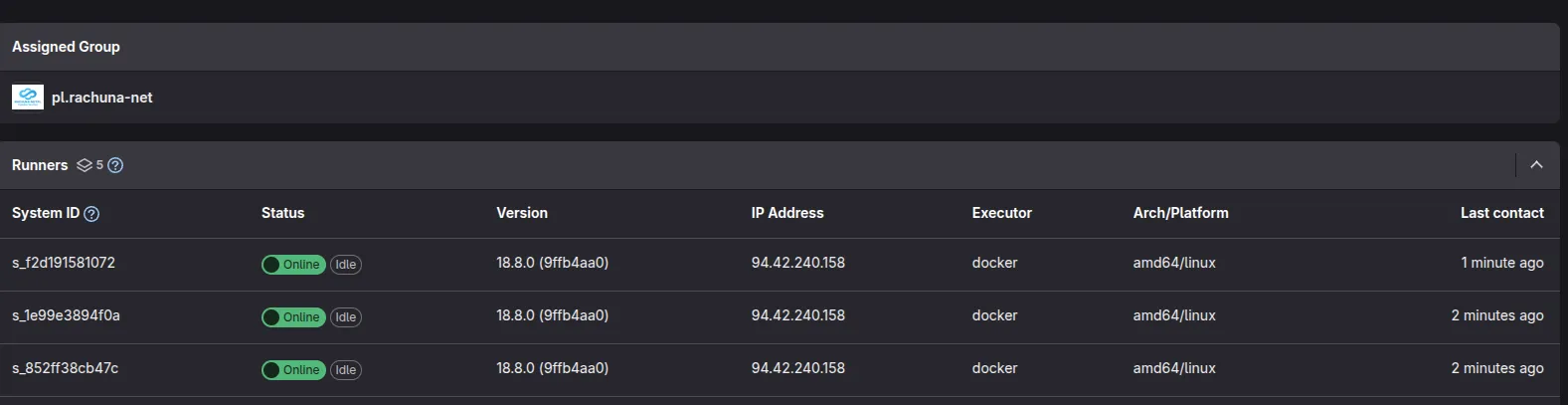
Utworzenie 3 maszyn wirtualnych
Utworzenie repozytoriów
Utworzenie projektu ansible
Definicja hostów (inventory/hosts.yml)
--- all : children : vault : gitlab_runners : children : nodes : hosts : gitlab-runner-1025 : gitlab-runner-1026 : gitlab-runner-1027 : Zmienne per host (inventory/host_vars/gitlab-runner-1025/main.yml)
--- ansible_host : "gitlab-runner-1025.rachuna-net.pl" ansible_host_ip : 10.3.1.25 fqdn : "gitlab-runner-1025.rachuna-net.pl" ansible_user : "{{ lookup('env', 'ANSIBLE_USER') }}" ansible_become_pass : "{{ lookup('env', 'ANSIBLE_PASSWORD') }}" inv_disable_set_hostname : true Konfiguracja runnera (inventory/host_vars/gitlab-runner-1025/gitlab-runner.yml)
--- inv_host_gitlab_runner_configuration : concurrent : 100 check_interval : 0 shutdown_timeout : 0 session_timeout : 3600 runners : - name : "{{ inventory_hostname }}.gitlab" url : "https://gitlab.com" register_runner : id : 52652479 token : "{{ inv_secret_gitlab_runner_1025_token }}" register_gitlab_api_token : "{{ ivn_secret_gitlab_api_token }}" description : "GitLab Runner for pl.rachuna-net" tag_list : [ "gitlab-rnp" ] runner_type : "group_type" group_id : 105046057 access_level : "not_protected" executor : "docker" docker : tls_verify : false image : "docker:latest" privileged : true disable_entrypoint_overwrite : false oom_kill_disable : false disable_cache : false volumes : - "/cache:/cache" - "/var/run/docker.sock:/var/run/docker.sock" shm_size : 0 network_mode : "host"
Sekrety (tokeny runnerów, klucze SSH, token API) są scentralizowane w inventory/group_vars/all/secrets.yml i pobierane z HashiCorp Vault przez plugin community.hashi_vault. Żaden sekret nie trafia bezpośrednio do repozytorium.
Zarządzanie sekretami (inventory/group_vars/all/secrets.yml)
--- ivn_secret_gitlab_api_token : > {{ lookup('community.hashi_vault.vault_kv2_get', 'auth/gitlab.com', engine_mount_point='pl.rachuna-net')['secret']['GITLAB_TOKEN'] }} inv_secret_gitlab_runner_1025_token : > {{ lookup('community.hashi_vault.vault_kv2_get', 'infrastructure/gitlab.com/ansible', engine_mount_point='pl.rachuna-net')['secret']['gitlab-runner-1025'] }} Współdzielony cache NFS (inventory/group_vars/gitlab_runners/configuration.yml)
--- inv_gitlab_runner_cache_nfs : enabled : true src : "storage.rachuna-net.pl:/volume1/GITLAB_RUNNER_CACHE" path : "/cache" fstype : "nfs4" opts : "rw,soft,timeo=10,retrans=3,noatime"
Instalacja zewnętrznych ról Ansible
Role hardeningu i konfiguracji są instalowane z repozytorium artefaktów:
ansible-galaxy role install -f -r requirements.yml -p playbooks/roles Rola Wersja Cel set-timezonev1.0.0 Timezone, locale, language users-managementv1.0.0 Użytkownicy, grupy, klucze SSH sudov1.0.0 Polityki sudo set-hostnamev1.0.0 FQDN hostname install-packagesv1.0.0 Pakiety systemowe (APT) certificatesv1.0.0 Certyfikaty TLS + Vault ssh-hardeningv1.0.0 Hardening SSH
Napisanie playbooka
Playbook playbooks/install.yml wykonuje pełny stos hardeningu i instalacji runnera:
--- - name : Gitlab Hardening Machine hosts : [ 'gitlab_runners' ] become : true roles : - role : set-timezone - role : users-management - role : sudo - role : set-hostname - role : install-packages - role : certificates - role : gitlab-runner
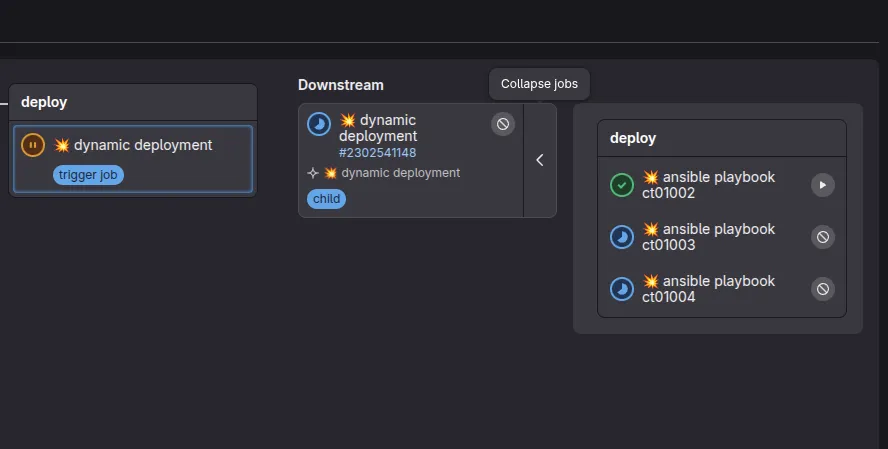
Uruchomienie procesu CI/CD